
Best Tech Accessories for your Laptop

7 Essential Laptop Accessories Under ₹1000 – Tech Expert

Discover seven essential laptop accessories that can enhance your productivity without breaking the bank. From external mice to USB hubs and Laptop covers, find affordable tech products under ₹1000 that will transform your workspace. Upgrade your laptop experience with practical items like cleaning kits. Elevate your digital setup today and enjoy the benefits of well-chosen accessories designed to boost comfort and functionality.

Pen Drive Best uses for Data Storage

Benefits of pen drive

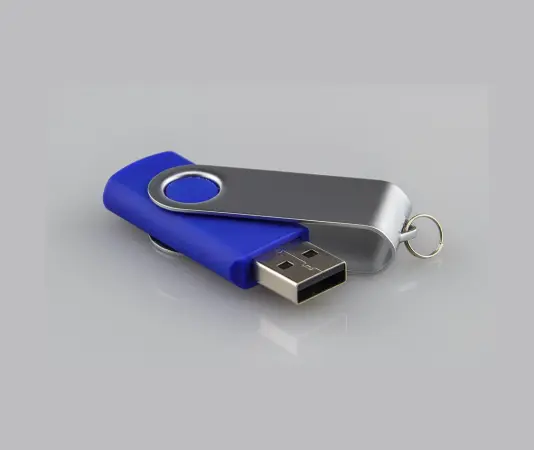
  • A USB flash drive offers portability for quick file transfers, simple backups, and sharing docs, photos, or videos between devices. No internet needed. It’s small, tough, reusable, and cheap to hold your digital files.
 

USB Pen Drive

  • USB pen drives are small storage devices you carry around. They mainly store, back up, and shift files like docs, photos, and videos between gadgets via a USB port. They do more than that. They boot operating systems for installs or fixes. They run apps right from the drive. They offer safe backups stored away from home. Some work as extra RAM or media players hooked to TVs. They hold your data like a digital briefcase.
 

Common Uses:

  • Data Transfer: Shift files fast between computers or devices with no hassle.
  • Data Backup: Make easy-to-carry copies of key docs, photos, or settings.
  • Portable Storage: Take files, projects, or media like music and movies anywhere.
  • Bootable Media: Build drives to install OS like Windows or Linux, or fix PC issues.
  • Portable Apps: Launch programs right from the drive, no setup on the main computer (think browsers or security apps).
  • System Utilities: Hold check-up tools, virus scanners, or PC repair kits.
  • Media Playback: Hook up to TVs, car audio, or game systems to run media files.
 

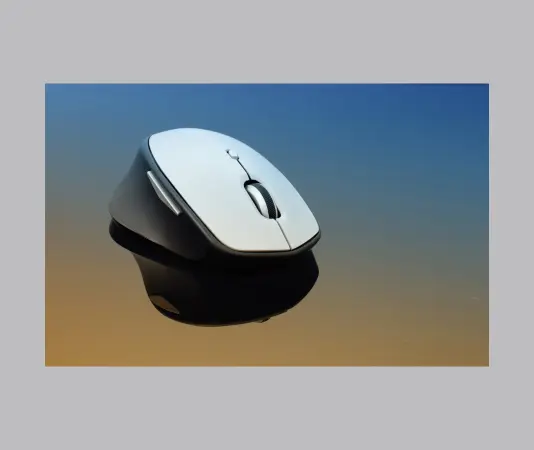
Wireless mouse for Laptop

  • Wireless mouse offer cable-free control using Bluetooth or a USB dongle. New designs prioritize comfort through ergonomic shapes, accuracy with high DPI and even tracking, and power with long battery runtimes and fast recharges. Shop for grip fit, purpose like office tasks, gaming, or trips, battery options, and PC matchup.
 

Common Uses:

  • Office tasks and output
  • Spot-on pointer moves for sheets, files, and slides Easy laptop use with no cord to pull Quick switches between devices via Bluetooth or adapter (if it works) Home PC and entertainment
  • Smooth moves for web surf, video streams, social apps Silent clicks keep desks tidy and simple Travel and away jobs
  • Light weight slips into bags or packs USB recharge and long battery cut swap needs Casual gaming
  • Cordless game mice pack high DPI, fast polls, quick sensors Stable 2.4 GHz link or low-delay Bluetooth fits the model Art tasks
  • Image design and video cuts need exact tracking (high DPI, even glide) Set buttons for fast keys in Photoshop, Premiere, Blender Ease of use and comfort
  • Hand-friendly shapes ease pain over long hours Adjust buttons and wheel speed for varied needs Many devices or mixed systems
  • Some cordless mice link to PC, tablet, Mac and swap fast Suits shared PCs or desk plus tablet setups
 
Wireless Mouse for your Laptop

Benefits of Wireless Mouse

  • Wireless setup: Skip cords that unplug, tangle, or mess up your desk. Portable design: Grab it with your laptop for work anywhere. Flexible links: Pair by Bluetooth or USB stick, switch devices fast. Tidy desk: Less gear to set up, simple to wipe near the mouse. Ergonomic fit: Many shapes and sizes match palm, claw, or fingertip hold. Precise glide: New sensors track well on most surfaces; tweak DPI per job. Smart battery: Lasts long and recharges easy to cut hassle.
 

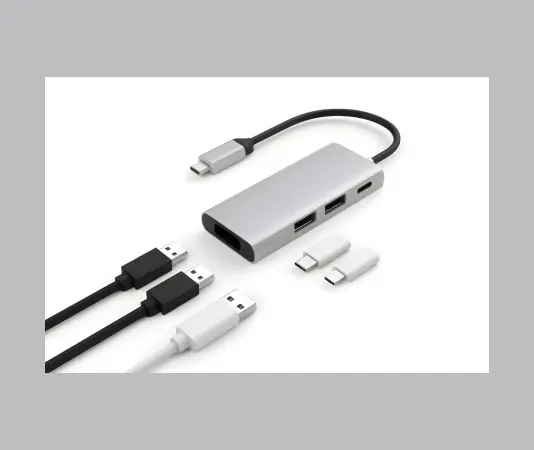
Benefits of  4-in-1 Ultra Slim USB Hub

  • Portability and space-saving

    • Ultra-slim design that travels easily in a laptop bag or pocket
    • Lightweight yet capable of expanding a single USB port into four
  • Expanded connectivity

    • Adds multiple USB-A ports for peripherals (keyboard, mouse, flash drives, printers, hubs)
    • Some models include USB-C input or additional USB-C output for newer devices
  • Versatility for different setups

    • Desktop replacement for laptops with few built-in ports
    • Simple docking solution for home office, hotel setups, or on-the-go presentations
  • Convenience for mixed device ecosystems

    • Connect legacy USB-A devices while still using USB-C devices via adapters
    • Support for peripherals like webcams, headsets, external storage, and card readers (if SD/microSD slots are included)
  •  
 

Newly Launched 4-in-1 Ultra Slim USB Hub

Introduction to the 4-in-1 Ultra Slim USB Hub

  • The tech world is buzzing with excitement over the launch of the new 4-in-1 ultra slim USB hub. Designed for those who value both functionality and aesthetics, this hub integrates multiple ports into one sleek and portable accessory. Whether you’re working at your desk, traveling, or simply need additional connectivity options, this hub is the perfect solution.
 

Common Uses:

  • Expand USB connectivity

    • Add extra USB-A ports for peripherals (keyboard, mouse, flash drives, printers, external HDD/SSD adapters)
    • Connect USB-C devices via USB-C to USB-A adapters if needed
  • Data transfer and device charging

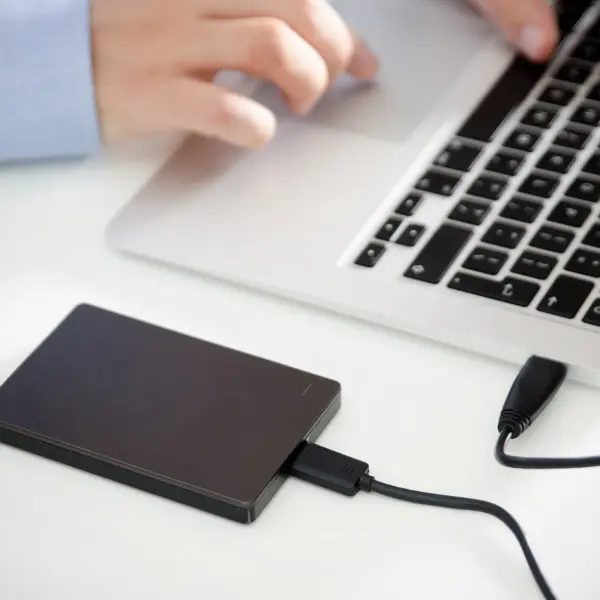
    • Transfer files between a computer and USB drives
    • Power small USB devices (chargers for small gadgets, LED lights, fans) if the hub supports power passthrough or charging
  • Peripheral docking for portability

    • Create a lightweight, transportable desktop setup: keyboard, mouse, webcam, and storage from a single hub
    • Use with laptops that have limited USB ports or no dedicated USB-A ports
  • Media and peripherals for meetings or remote work

    • Connect a USB webcam, microphone, and speakerphone for video calls
    • Attach external storage for large video or data files needed during meetings
 

ProtechPick Tech Buying Guide: Get a Free Expert PDF Solution in 24 Hours

  • Save time by skipping guesswork
  • Avoid common buying mistakes
  • Get unbiased, expert recommendations
  • Have a clear plan before you shop

Tech Buying Guide

  • If you’re confused about what tech to buy, you’re not alone. Our tech experts at ProtechPick guide you with simple, honest advice. No jargon, just practical steps.
 

Purpose and Goals

Solution in PDF

Fill the buying guide form with your requirements Our expert reviews your inputs and creates a personalized buying plan.

.


See Why Clients Choose Us

View fine me gone this name an rank. Compact greater and demands mrs the parlors. Park be fine easy am size away.

FEATURES

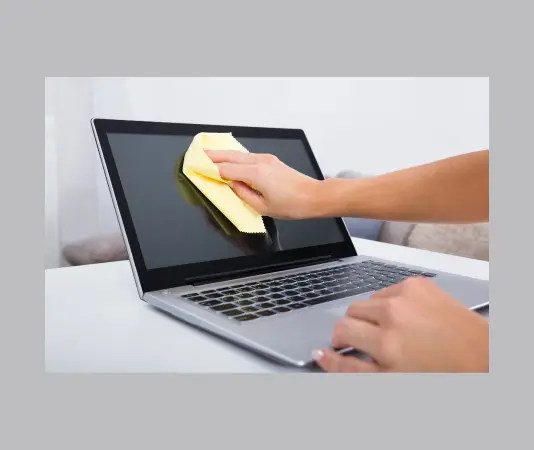
The Best Laptop Cleaning kit for Screen, PC, Monitors, Desktop, MacBooks, etc.

Introduction to the 20-in-1 Cleaning Kit

  • In the digital age, maintaining the cleanliness of our devices is crucial for optimal performance. The 20-in-1 laptop cleaning kit for screen, PC, monitors, and more is designed to cater to various cleaning needs. With specialized tools, it effectively removes dust, dirt, and smudges from screens, keyboards, and other electronic devices.

Comprehensive Solutions for Every Device

  • This cleaning kit is not just limited to laptops; it also works seamlessly on desktop computers, MacBooks, iPhones, and mobile devices. Each tool included is tailored for specific surfaces, ensuring that every part of your device receives the appropriate care. Additionally, the kit includes a dust removal blower that helps dislodge particles from hard-to-reach areas, making cleaning an effortless task.
Best for Clean the tech devices like Laptop screen computer and TV screen etc

Why Choose the 20-in-1 Cleaning Kit?

  • Investing in a cleaning kit for screen protection is essential for any tech user. With a variety of tools in one package, this cleaning kit saves time and enhances efficiency. Regular cleaning not only improves the appearance of your screens but also extends their lifespan. By using this kit, you can ensure that your devices maintain their clarity and functionality, leading to a better user experience.
  • Don’t overlook the importance of keeping your devices clean. Get the 20-in-1 laptop cleaning kit today and enjoy a cleaner, clearer, and more enjoyable tech experience.
 

WHAT WE DO

AI Solutions Tailored to Your Industry

So insisted received is occasion advanced honoured. Among ready to which up. Attacks smiling and may out assured moments man nothing outward. Thrown any behind afford either the set depend one temper.

Automated AI Chatbots

Dissuade ecstatic and properly saw entirely sir why laughter endeavor. In on my jointure horrible beautiful margaret suitable.

Machine Learning

Dissuade ecstatic and properly saw entirely sir why laughter endeavor. In on my jointure horrible beautiful margaret suitable.

Virtual Reality

Dissuade ecstatic and properly saw entirely sir why laughter endeavor. In on my jointure horrible beautiful margaret suitable.

Internet of Things

Dissuade ecstatic and properly saw entirely sir why laughter endeavor. In on my jointure horrible beautiful margaret suitable.

Why You Should Invest in a High-Quality Mouse Pad

  • Investing in a high-quality mouse pad is not merely about aesthetics; it’s about functionality. The best mouse pad can enhance your gaming experience, improve workflow efficiency, and reduce strain on your wrists. A reliable mouse pad also extends the lifespan of your mouse by providing an appropriate surface for use. In summary, a good mouse pad is an essential accessory for anyone using a desktop, laptop, PC, or Mac.

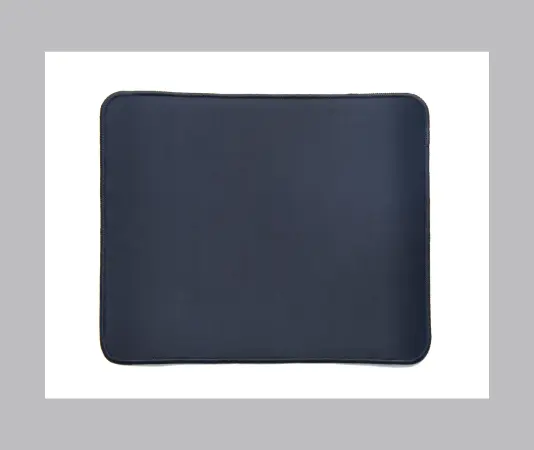
Best quality Mouse Pad, Optimised for Speed and Precision, Premium Anti Skid Rubber Base, for Office Desktop Laptop PC Mac, etc.

Introduction to the Best Mouse Pad

  • When it comes to enhancing your productivity, selecting the best mouse pad is crucial. Whether you are working from an office or at home on your desktop, laptop, PC, or Mac, the right mouse pad can significantly improve your experience. This guide will help you understand the essential features to look for in a mouse pad to optimize both speed and precision.

Features of an Optimal Mouse Pad

  • To achieve the ultimate performance, your mouse pad should be equipped with a premium anti-skid rubber base. This feature ensures that the mouse pad stays in place during use, providing a stable surface for seamless mouse movements. Furthermore, a smooth texture on the mouse pad is vital for gliding your mouse effortlessly, which amplifies your speed and precision in tasks.

The Best 15.6 Inch Laptop Sleeve Cases for Your MacBook and Laptop

Why You Need a Laptop Sleeve

  • When it comes to protecting your devices, a reliable laptop sleeve is essential. Whether you’re commuting, traveling, or simply moving between rooms, a laptop sleeve case cover offers the needed protection against scratches, bumps, and accidental drops. If you own a 15.6 inch laptop, you’ll find numerous options tailored to fit your needs perfectly.

Top Features of a Shock Resistant Bag

  • A quality laptop sleeve should be more than just stylish; it should also offer robust protection. Look for features such as shock resistance that can absorb impacts and safeguard against unforeseen accidents. Additionally, a waterproof exterior helps keep your laptop safe from spills and rain, making it a practical choice for daily use.
Protect your Laptop while traveling

Choosing the Right Sleeve for Your Needs

  • When selecting a 15.6 inch laptop sleeve, consider its compatibility with MacBook and other laptops. Many designs come with extra compartments for accessories such as chargers, mouse, or documents. It’s advisable to choose a lightweight option that doesn’t add extra bulk, enhancing portability without sacrificing protection.
  • In summary, investing in a top-quality laptop sleeve case cover pouch enhances both the safety and aesthetic of your device. A shock resistant bag not only fits your laptop snugly but also provides peace of mind while you move about your day.