


Buying a printer for home or office in India in 2025 can feel confusing. Inkjet, ink tank, laser, Wi‑Fi, DPI, page yield, cost per print, ratings, prices; there is a lot to compare before spending your money. This guide walks through the three main printer types, explains real running costs, shares the key things to check before buying, and highlights some of the best models for Indian users based on price, usage, and reviews.
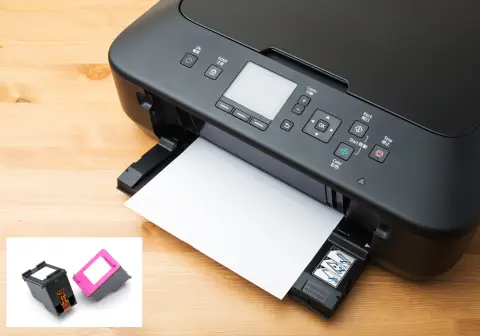
Deskjet
Best and Affordability for home use, It is compact size, The ink costs can be high and regular
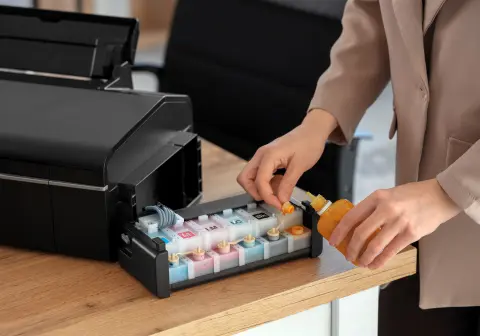
Ink tank
Effective printing solution by utilizing refillable ink reservoirs instead of traditional disposable cartridges
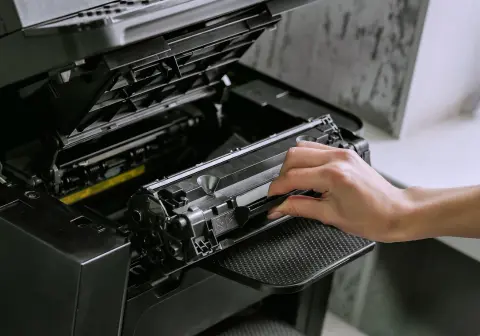
Laserjet
Fast print speeds: Laser printers typically produce pages much faster than inkjet printers,
Buy The Perfect Printer for Your Needs.
Types of Printers: Inkjet, Ink Tank, and Laser Explained
Choosing a printer can be confusing, as ink tank, inkjet, and laser printers each printer have their own advantages. But your best choice depends on your specific printing needs, such as volume, speed, and whether you primarily print in color or black and white.
Inkjet printer
Uses ink cartridges filled with liquid ink. When the ink finishes, the entire cartridge is replaced and usually cannot be refilled.
Printers
Each type has a clear use case, price range, and printing cost. Understanding that helps avoid regret later.
Laser printer
Uses toner powder in powder form instead of liquid ink. A laser and heat fuse the toner to paper during printing.
Ink tank printer
Uses refillable ink tanks on the side or inside the printer. You pour ink from bottles into the tanks instead of changing cartridges.
How Each Type Works
Inkjet printers spray tiny drops of liquid form ink on paper. The ink sits inside cartridges that come pre-filled from the company. Once empty, the cartridges are replaced, not refilled in most models. This design makes the printer cheap to buy but costlier to run.
Ink tank printers use the same basic inkjet technology to put ink on paper, but they store ink in bigger refillable tanks. You top up the tanks with ink bottles when they get low. There is no need to replace cartridges frequently, so the running cost drops a lot.
Laser printers store toner in powder form. A laser creates a pattern on a drum, the toner sticks to that pattern, then heat and pressure transfer it to paper. This process is very fast and efficient, which is why laser printers suit high-volume work like schools, offices, and shops.
Initial Pricing Breakdown
Here is a quick look at the starting prices mentioned for each type in the Indian market in 2025.
| Printer Type | Typical Starting Price (₹) |
|---|---|
| Inkjet | 3,000 to 5,000 |
| Ink Tank | 10,000 to 12,000 and up |
| Laser | 14,000 to 15,000 for monochrome, much higher for color |
Inkjet printers look very attractive at first because they are the cheapest. One key point, companies often sell these inkjet printers at a loss. They recover profit later through expensive replacement cartridges that you must buy again and again.
Ink tank and laser models cost more at the start, but save a lot of money if printing is frequent or long term.
Cost Per Print and Speed Comparison
Price of the printer is only half the story. The real expense is in cost per print and how fast the printer can handle your workload.
Here is a direct comparison of typical costs and speeds for the three technologies:
| Aspect | Inkjet | Ink Tank | Laser |
|---|---|---|---|
| B&W cost | ₹6 to ₹8 per page | About 10 paise per page | About 10 paise per page |
| Color cost | ₹8 to ₹10 per page | Around 30 to 40 paise per page | Around 30 to 35 paise per page |
| B&W speed | About 6 to 8 ppm | About 10 to 12 ppm | Around 30 to 40+ ppm |
| Color speed | About 4 to 5 ppm | Around 8 to 10 ppm | High, depends on model |
(ppm = pages per minute)
Key takeaway:
- Inkjet printers are cheap to buy but very expensive per page.
- Ink tank printers offer very low per-page cost and decent speed.
- Laser printers are the fastest, with low cost per page, especially for black-and-white printing.
When Each Type Makes Sense
Different usage patterns call for different printer types.
- Low use (1–2 times a week)
If printing is rare, like an occasional document or form, an inkjet printer can work. The higher cost per page matters less when you print only a few pages a month. - Daily moderate use (home, small office, tuition, students)
When printing is needed almost every day, inkjet cost becomes painful. Ink tank printers shine here. The printer is more expensive upfront, but black-and-white prints at around 10 paise and color at 30–40 paise are far cheaper in the long run. - High volume use (school, coaching center, busy office, shop)
If dozens or hundreds of pages are printed daily, speed and durability become very important. Laser printers handle 30 to 40 pages per minute, and many models go higher. For such environments, laser models are usually the practical choice.
9 Key Factors to Consider Before Buying a Printer
Before shortlisting any model, it helps to judge it on some core points. The video outlines 10 important aspects that decide whether a printer really fits your needs. Understand your requirement first, then match it with these factors.
Printing technology
Decide first if you need inkjet, ink tank, or laser. This single choice impacts printer price, speed, long-term cost, and ideal use case.
Color or monochrome
If you only print black-and-white documents, such as text files, bills, and forms, there is no need to pay for a color printer. Color prints cost more in every technology. If you need photos, charts, or school projects, color becomes important.
Auto duplex printing
Some printers can automatically print on both sides of the page. This is called auto duplex printing. It saves time and paper when you often need double-sided documents. If you rarely print on both sides, a normal single-side printer is enough.
Printing speed
Speed is usually given in pages per minute (ppm). Compare that with your expected workload. For a student printing a few pages at a time, 6 to 8 ppm is fine. For an office printing multiple sets of documents, a slow printer quickly becomes annoying.a
Paper yield
Paper yield means how many pages a cartridge or a full ink tank can print before running out. Higher yield means fewer refills and a lower cost per page. Look at both black and color yields if you plan to print in color.
Print quality (DPI)
DPI stands for dots per inch. It shows how detailed and sharp the print output is. A higher DPI usually gives better photos and clean text. For simple documents, moderate DPI is fine. For photo printing, higher DPI makes a visible difference.
Connectivity options
Basic printers support only USB. That means the printer must be wired to a PC or laptop. Models with Wi‑Fi can connect to your home or office network and also work with mobile apps, so printing directly from a phone becomes easy and fast.
Warranty and after-sales service
Most printers in India come with 1 year of warranty. Brand reputation and service network matter a lot. Popular brands like HP, Canon, Epson, and Brother usually offer strong after-sales support in most cities.
Popular Printer Brands in India
Some brands appear again and again in Indian printer recommendations because of wide availability and decent service
HP
Very common in India, huge sales numbers, strong service network.
Canon
Known for print quality and reliable all-in-one models.
Epson
Well-known for ink tank printers with high print quality.
Best Inkjet Printers in India 2025 (Home & Light Use)
Inkjet printers suit users who want a low entry price and do not print large volumes regularly. Most of the models listed here are multifunction printers, so they can print, scan, and copy, unless mentioned as single-function.

HP is one of the most popular brands for printers in India, which adds confidence around long-term support.
You can find this model on Amazon under the listing for the HP DeskJet 2820 inkjet printer.
HP DeskJet 2820 (Best budget Wi‑Fi inkjet)
The HP DeskJet 2820 is a multifunction color inkjet that can print, copy, and scan. It fits students and homes that print a few pages every week and prefer Wi‑Fi.
Key details from the video:
- Printing speed is about 7 pages per minute in black-and-white and 5 color pages per minute.
- The black cartridge can print up to 120 pages, and the color cartridge up to 100 pages.
- Replacement cartridges cost around ₹720 for black and ₹750 for color.
- That leads to an average cost of around ₹6 per black page and ₹8 per color page.
- Print resolution goes up to the 4800 dpi class, which is decent for home photos and documents.
- Connectivity includes Wi‑Fi and USB, so printing from mobile using the app is possible.
- HP provides 1 year of warranty.
- On Flipkart, more than 34,000 users have rated it, with an average rating of 3.7.
- At the time of the video, the Wi‑Fi variant was listed around ₹4,999, and a similar USB-only model without Wi‑Fi was around ₹3,999.
Canon PIXMA MG2570S (Best low-cost document inkjet)
The Canon PIXMA MG2570S is also a multifunction color printer with print, scan, and copy. It is tuned more for document printing than for high-quality photo work.
Highlights from the video:
- It offers a lower DPI resolution around the 400 x 600 dpi range, which is still fine for black-and-white text.
- It suits users who mostly print documents and simple text pages, not detailed photo enlargements.
- Connectivity is USB only, no Wi‑Fi variant is mentioned for this model in the video.
- On Flipkart, more than 66,000 users have rated it, with an average rating of 3.7, which is a strong sample size.
- The price referenced is around ₹3,365, which makes it very attractive for students who just need assignments and forms printed.
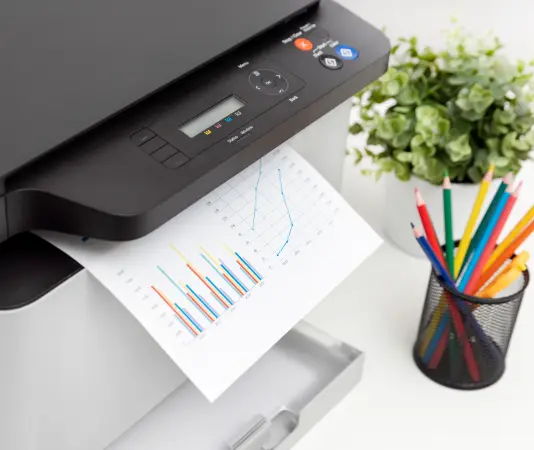
If color printing is rare and document printing is the priority, this Canon model is a strong budget option. It is listed on Amazon as the Canon PIXMA MG2570S inkjet printer.
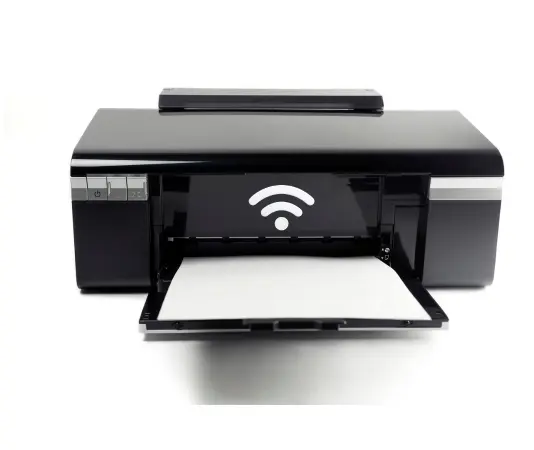
For homes that want a flexible all-round inkjet with wireless printing, this PIXMA E3370 is a sensible pick. It is available on Amazon under the Canon PIXMA E3370 Wi‑Fi printer listing.
Canon PIXMA E3370 (Balanced inkjet with Wi‑Fi)
The Canon PIXMA E3370 is a multifunction color inkjet with a better mix of features. It targets users who want Wi‑Fi, reasonable running cost, and good print quality in one package.
Details mentioned:
- It offers a good DPI resolution for sharp prints.
- Built-in Wi‑Fi connectivity allows printing over the network or from mobile, along with USB.
- On Flipkart, it has more than 13,000 ratings and an average of 3.9, which is better than many entry-level inkjets.
- The price shared in the video is about ₹5,499.
Canon PIXMA TS307 (Best print-only budget inkjet)
The top inkjet pick in the video is the Canon PIXMA TS307. This is a single-function color printer, so it only prints. There is no scan or copy feature. In return, it delivers far better page yield and cost per print than most cartridge inkjets in its price range.
Key points:
- The black cartridge can print up to 400 pages.
- The color cartridge can print up to 180 pages.
- Cartridge prices are similar to other Canon inkjet models in this class.
- Due to the higher yield, the cost per print drops to about ₹2 per black page and ₹4 per color page, which is very low for a cartridge-based inkjet.
- Print resolution is in a good DPI range for clear text and casual photos.
- It supports Wi‑Fi connectivity, which is rare at this low price.
- On Flipkart, more than 12,000 users have rated it, with an average rating of 3.8.
- The price mentioned in the video is around ₹3,000.

For users who do not need scanning or copying and care more about cheap per-page cost, this model stands out. It is recommended strongly in the video and is available on Amazon as the Canon PIXMA TS307 wireless inkjet printer.
Best Ink Tank Printers in India 2025 (For Daily Use)
Ink tank printers are described as better than inkjet for most regular users. They have a higher initial price, but the cost per print is extremely low, which matters a lot if you print daily at home or in a small office.
If the budget allows, ink tank printers are often a smarter long-term choice than any entry-level inkjet.
# Canon multi-function ink tank printer
At number four on the ink tank list is a Canon multifunction color ink tank printer. The exact model name appears in the original video, but the important details are clear.
The printer can print, scan, and copy, and is suited for home offices and small businesses.
Important details:
- Printing speed is around 9 pages per minute in black-and-white and about 5 color pages per minute.
- With fully filled tanks, it can print up to 6,000 pages before needing a refill.
- Ink bottle cost for a full refill set is around ₹1,600 if using Canon’s original inks. Third-party inks are even cheaper, though they may impact warranty.
- Cost per print comes to about 10 paise for black-and-white and 30 paise for color.
- Print resolution is in a good DPI range, quoted around 1200–1400 dpi class, which is more than enough for documents and projects.
- Connectivity includes Wi‑Fi and USB, so mobile app printing is supported.
- Canon offers 1 year of warranty or 15,000 pages, whichever comes first.
- On Flipkart, more than 32,000 users have rated this series, and the average rating is an impressive 4.4.
- The Wi‑Fi model price mentioned is around ₹12,999, and a similar version without Wi‑Fi is around ₹11,499.
For families or small offices where daily printing is common, this Canon ink tank option keeps running costs very low.
# HP 589 Smart Tank (HP Smart Tank 589)
Next is an ink tank model from HP, referred to as the HP 589 in the description, part of the Smart Tank series. It is also a multifunction color printer that can handle print, scan, and copy.
Key points aligned with the Canon ink tank above:
- Specifications are almost the same as the Canon model at number four.
- It delivers similar speed, page yield, and per-page cost.
- On Flipkart, more than 9,000 users have rated it, with an average rating of 4.2.
- The Wi‑Fi version is listed around ₹12,999, and the non‑Wi‑Fi version is about ₹10,999.
Since the Canon and HP ink tank models are very close in features and price, brand preference and local service support can decide which one to pick. The HP Smart Tank 589 ink tank printer is available on Amazon.
# Epson L3252 (Higher print quality ink tank)
At number two is the Epson L3252, a multifunction color ink tank printer. It also offers print, scan, and copy features but stands out for higher print quality.
Details from the video:
- Epson provides higher DPI resolution, so output quality, especially for photos and graphics, is better.
- Higher DPI means more ink is used per page, so color prints are slightly more expensive.
- Black-and-white printing still costs about 10 paise per page, similar to other ink tank printers.
- Color printing costs around ₹1 per page, which is higher than the 30–40 paise on some other ink tank models, but you get better quality prints.
- On Flipkart, this model has more than 17,000 ratings with an average of 4.3.
- The Wi‑Fi variant is priced around ₹13,699, and a non‑Wi‑Fi version is around ₹10,999.
For users who value print quality, especially for color charts or photos, over the absolute lowest color cost, the Epson L3252 Wi‑Fi ink tank printer is an ideal fit.
# Brother DCP‑T426W (Fastest ink tank all-rounder)
The top ink tank recommendation is the Brother DCP‑T426W, a multifunction color ink tank printer with standout speed and balanced costs.
Why it ranks first:
- Print speed is very high for an ink tank model, up to 28 black-and-white pages per minute.
- Color printing speed is around 11 pages per minute, faster than the other ink tank printers in the list.
- Cost per print remains low, about 10 paise for black-and-white and 30 paise for color.
- Print resolution goes up to about 1200 x 600 dpi, enough for sharp text and decent graphics.
- On Flipkart, more than 3,000 buyers have rated it, with an average rating of 4.2.
- The Wi‑Fi version is listed around ₹12,299 and the USB-only version about ₹10,799.
The video highlights that this Brother model does not really have a weak point. Speed, cost per print, features, and price are all strong. It is presented as a no-compromise ink tank option for serious home and office use.
You can find it on Amazon as the Brother DCP‑T426W ink tank printer.
Best Laser Printers in India 2025 (Quick Picks)
Laser printers are ideal for heavy daily printing, such as in schools, coaching centers, offices, and shops. Their strengths are:
- Very high print speed, especially for black-and-white.
- Low cost per page, usually around 10 paise for monochrome.
- Strong durability for large print volumes.
The video keeps the laser section short and focuses more on how laser technology fits high-volume usage, but the description lists some recommended models:
- Brother HL‑L2321D monochrome laser printer on Amazon.
- HP Laser 1008W monochrome laser printer on Amazon.
- HP Laser MFP 1188FNW multifunction laser printer on Amazon.
These cover both single-function and multifunction needs for offices that need fast and reliable black-and-white printing, with some models also supporting network and Wi‑Fi usage.
Conclusion
Choosing the best printer for home and office in India 2025 comes down to matching your real usage with the right technology. Inkjet works for rare use and a tight budget, ink tank gives the best balance of daily printing and low cost, and laser serves high-volume environments where speed and durability matter most.
Look at cost per print, speed, page yield, connectivity, and reviews instead of only the sticker price. The models covered here, from HP, Canon, Epson, and Brother, span those needs and budgets and have strong feedback from thousands of users.
Before buying, list how many pages you print, how often, and whether you really need color and scanning. Once that is clear, the right printer type and model almost picks itself.
F.A.Q.
The Ultimate Tech Expert Guide to Buying the Best Printer in 2025
- Inkjet: Best for photos and color-rich documents, lower upfront cost, good for occasional printing.
- Laser: Faster for text-heavy documents, lower per-page cost for high-volume black-and-white printing, better for office use.
- If you print a mix of photos and documents, an inkjet or a color laser (if available) can work, but expect higher upfront cost for color lasers.
- Entry-level inkjet: 50–\150
- Mid-range inkjet with better ink costs and features: 150–\300
- Entry-level monochrome laser: 100–\200
- Color laser printers: 200–\500
- Note: Consider ongoing ink or toner costs (cost per page). Look for high-yield cartridges or refillable ink tanks for long-term savings.
- Inkjets: Look at page yield (e.g., 200–500 pages for standard cartridges; high-yield options available). Refillable ink tanks can dramatically reduce running costs.
- Lasers: Toner cartridge yields are typically higher; check pages per cartridge and whether remanufactured options are suitable for you.
- Pro tip: Compare cost per page (CPP) rather than just upfront price. CPP = cost of cartridge / estimated pages.
- For frequent office use, speed matters. Measured in pages per minute (ppm) for text; color/ photo speeds vary.
- First page out time (FPOT) indicates how quickly a printer starts printing from sleep mode.
- If your workload is heavy with large documents, prioritize higher ppm and efficient power states.
- For resumes, contracts, and drafts, black-and-white may suffice; color enhances charts or visuals but costs more.
- Photo printing demand: If you need high-quality photos at home, look for dedicated photo inksets, DuraKod/Dye-based options, and color-managed profiles.
- For general color documents, most mid-range inkjets deliver satisfactory results.
- USB is basic and fine for a single PC.
- Wireless (Wi-Fi) enables printing from laptops, phones, and tablets; look for:
- Wi-Fi 5/6 for reliability
- AirPrint (Apple), Google Cloud Print (if still supported), Mopria, or Brother/Canon/Nova print apps
- Ethernet port is useful for office setups; USB-C is nice for newer computers.
- Some printers offer mobile-only printing or cloud printing services; verify compatibility with your devices.
- Automatic two-sided (duplex) printing to save paper.
- A flatbed scanner or all-in-one (AIO) if you need scanning/copies/fax.
- Automatic document feeder (ADF) for multi-page scanning or copying.
- Durable design and included bundled starter cartridges.
- Compatible with refillable ink systems or high-capacity cartridges.
- Size and footprint: make sure it fits your desk or office.
- List your top 3 tasks (e.g., printing reports, occasional photos, school projects).
- Estimate monthly page volume (e.g., 300 pages/month).
- Prioritize a low cost per page and reliable mobile printing if you work from a phone.
- Read reviews focusing on reliability and ink/toner costs, not just features.