


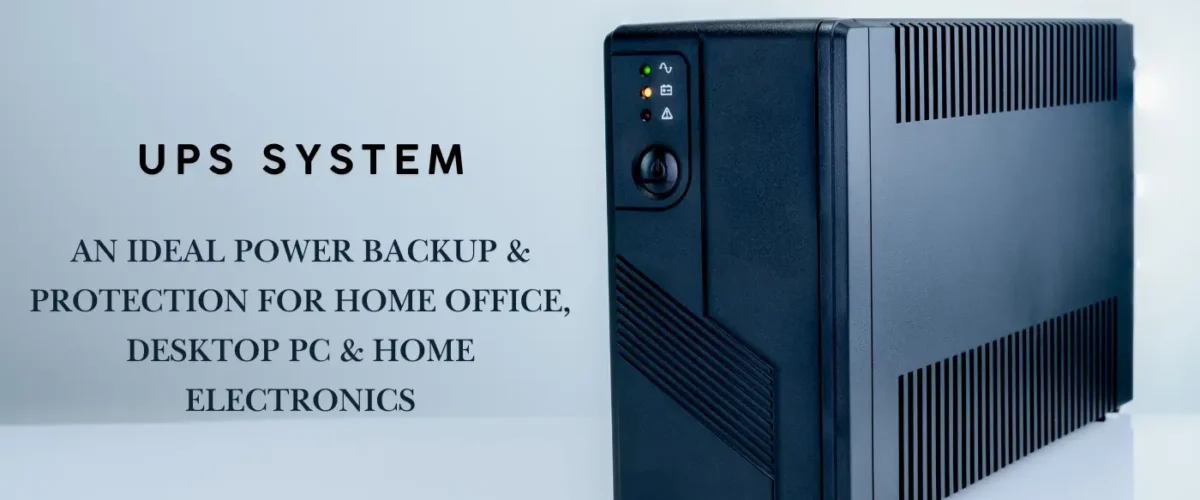
Our Tech Expert Guide walks you through a step-by-step process to choose the right UPS for your setup. Learn key factors, compare features, and find reliable brands in minutes.
Choose right UPS for Your Devices.

Laptop

Desktops

Tele vision
Routers

Printers

Gaming PC
Step By Step Guide
protect your electronic devices from power outages
A reliable uninterruptible power supply (UPS) can keep your computer, home theater, gaming rig, or office gear running long enough to save work, shut down safely, and avoid data loss. But with so many models, capacities, and price points, how do you pick the right UPS without overspending? This guide walks you through a practical, step-by-step process to choose the perfect UPS for your setup and your budget.
Right Voltage Requirements
When it comes to powering devices like laptops and desktops, understanding voltage requirements is important. Each device has its own specifications of the power circuit which dictate the best voltage needed for optimal performance. This not only ensures that the device operates efficiently but also prolongs its lifespan.
Typical Voltage Ranges for Laptops and Desktops
Laptops generally require a voltage ranging from 19V to 20V, while desktops typically use a larger power supply which can range between 12V and 24V. as per the Manufacturers design these voltage ranges to meet the operational demands of their devices while optimizing energy consumption. Operating within these specified ranges is important to prevent device damage and maintain functionality.

Choosing the Right Power Adapter
When selecting a power adapter or replacement charger, it’s vital to use one that matches the specified voltage and current requirements of your device. Using an adapter with the wrong voltage can lead to serious issues such as overheating, reduced efficiency, or even device failure. Therefore, always refer to the device’s manual or the manufacturer’s website for accurate specifications to ensure compatibility.
In summary, understanding the types of adapters and the best voltage required for your laptop or desktop is essential for optimal performance and longevity. Always choose the correct voltage to protect your valuable electronics.
Understanding UPS Types for TVs and Gaming Consoles

Selecting the right Uninterruptible Power Supply (UPS) is vital for protecting your valuable electronics like TVs and gaming consoles. This guide explores different types of UPS, including modified sine wave and pure sine wave options, and provides insights on sizing a UPS for your specific setup. Learn about capacity, outlet distribution, and power consumption to ensure an uninterrupted entertainment experience. Find tips on assessing the needs of your devices and making informed decisions when purchasing a UPS to prolong the lifespan of your electronics.
Choosing the Right UPS Type
When it comes to protecting your electronics, especially high-end TVs and gaming consoles, selecting the appropriate Uninterruptible Power Supply (UPS) is crucial. Most TVs and gaming consoles operate effectively with a good-quality simulated or modified sine wave UPS. However, for those seeking additional safety and reliability, particularly for delicate electronics, a pure sine wave UPS is highly recommended.
Capacity and Distribution of Outlets
To ensure an uninterrupted entertainment experience, it’s vital to have enough battery-backed outlets for all essential devices. This includes your TV, gaming console, streaming devices, and any necessary HDMI/AV equipment. Assess your needs carefully, and look for a UPS that not only meets these requirements but also provides extras, such as USB ports or additional outlets for future expansion.
How to Size a UPS for Your Setup
One of the essential steps in selecting a UPS is determining the total load it needs to support. Start by finding the power draw of each device connected to the UPS. For example, a TV typically consumes between 60 to 200 watts depending on its size and panel type. A modern 55″ LED/LCD TV often uses around 90 to 150 watts during normal operation. This data will aid in calculating the appropriate UPS capacity to ensure all devices receive sufficient power.
It’s equally important to consider the best voltage required for devices like laptops and desktops to ensure optimal performance and functionality. By understanding these factors, you can confidently choose a UPS that meets your specific needs, thereby prolonging the lifespan of your electronics.
How to Choose the Best UPS for Your Setup
To choose the best UPS, consider the total wattage of your devices, including printers and wifi routers, and add some extra capacity for future devices. Look for a UPS that has a higher VA (Volt-Ampere) rating than your total calculated load. It will ensure seamless operation during a power outage, giving you enough time to save your work. Ultimately, selecting the right UPS is key to maintaining the performance and longevity of your technology.

Conclusion
Ensuring the Best Power Backup
In conclusion, investing in the best UPS is crucial for keeping your tech safe. The right power backup of UPS helps safeguard sensitive devices from power disturbances, which is particularly important for wifi routers and gaming PCs that rely heavily on stable power. By understanding the importance of a UPS, you can make informed decisions that protect your electronic investments and ensure they operate smoothly in any situation.